Customer service redesign

Trip.com

Airport transfer

Trip.com is the biggest online travel agency in Asia with 400 million+ users.

Typical user

Customer service agents

Scenario

Deal with calls and try to solve issues for customers

Goal

Increase efficiencyReduce task-handling time

My role

UX & UI designUX research

Team

PMFrontend DevBackend Dev

Timeline

3 months

Customer service system

What is the customer service system?

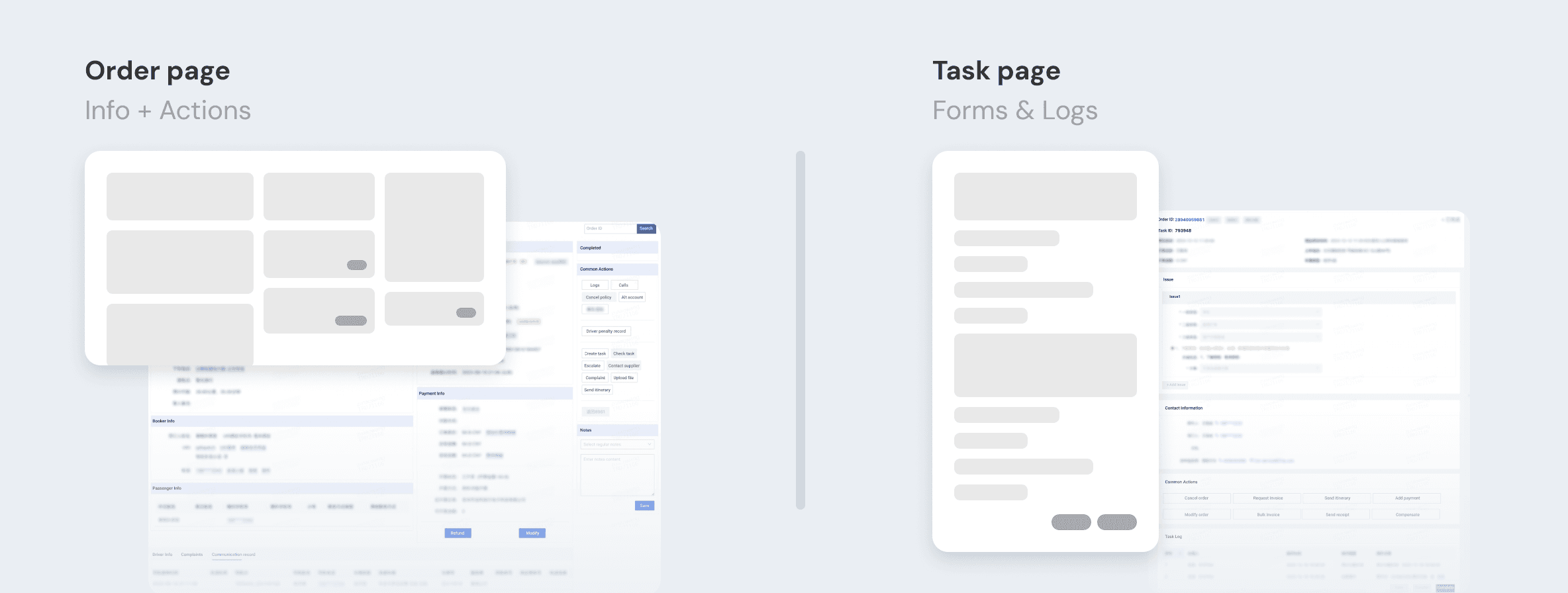
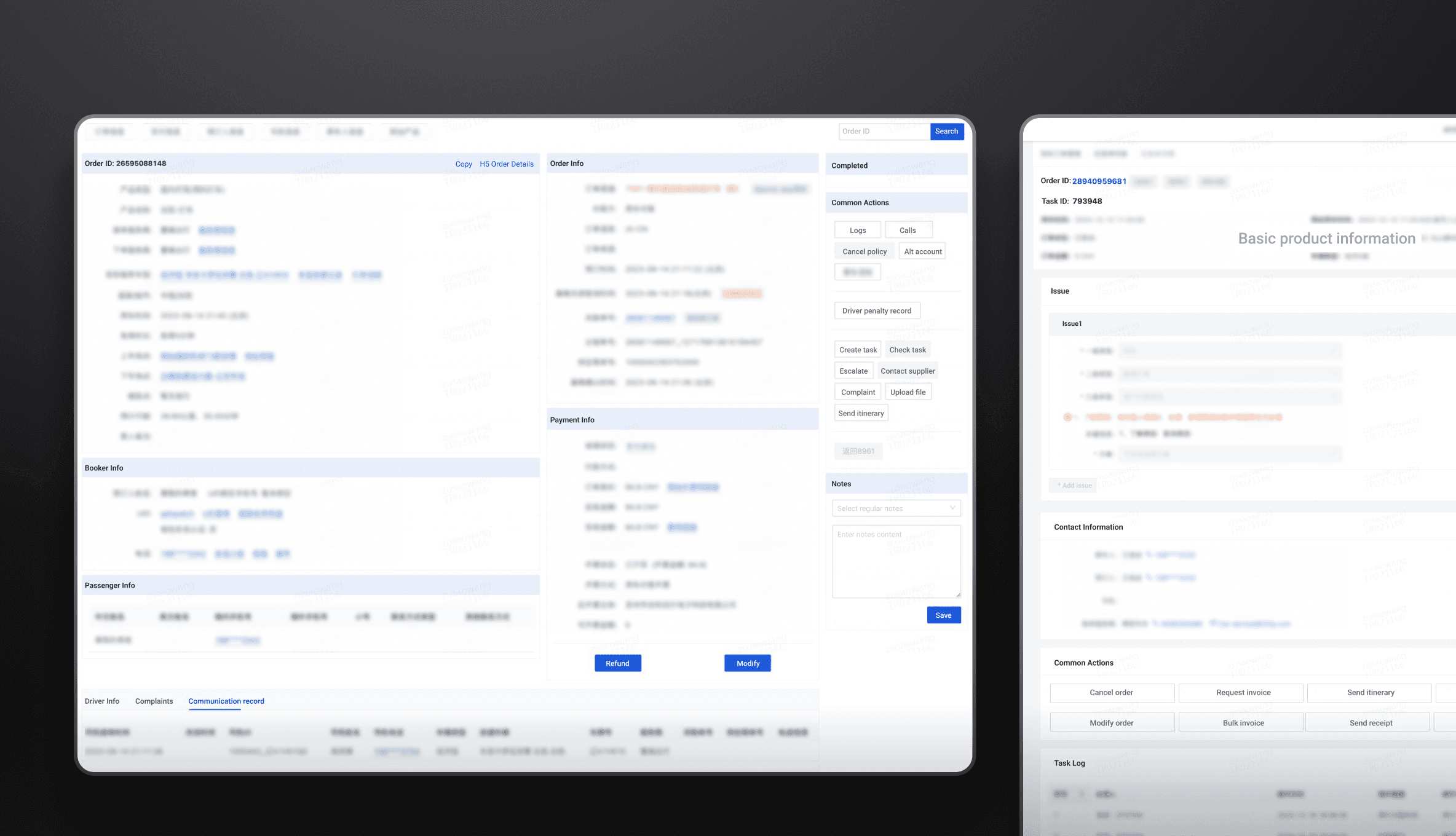
A 2-page web-based system to help solve customer inquiries

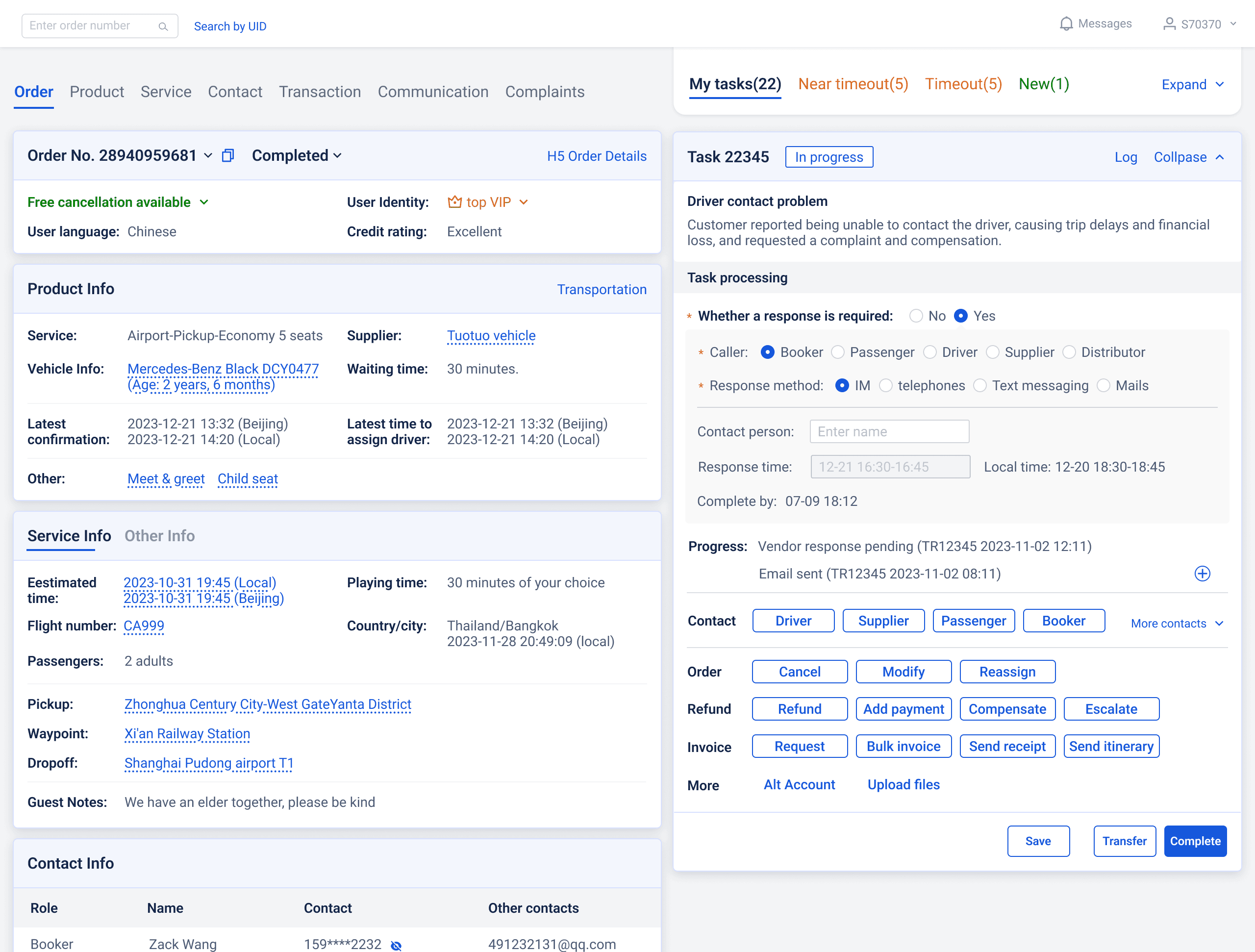
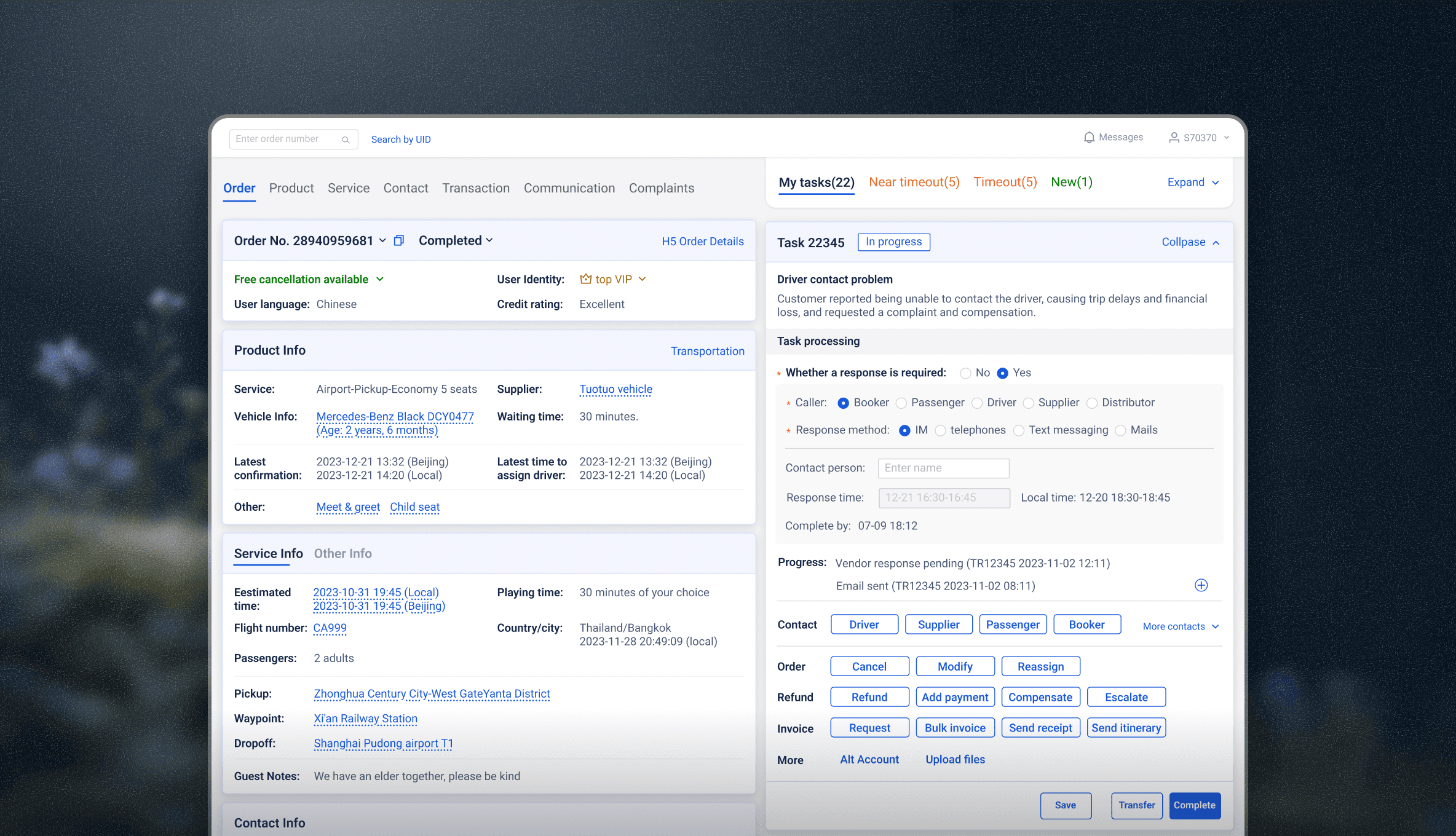
Agents use the order page for information and actions to solve customers' problems. They then fill out forms on the task page so that the system tracks every task.

Order and task pages

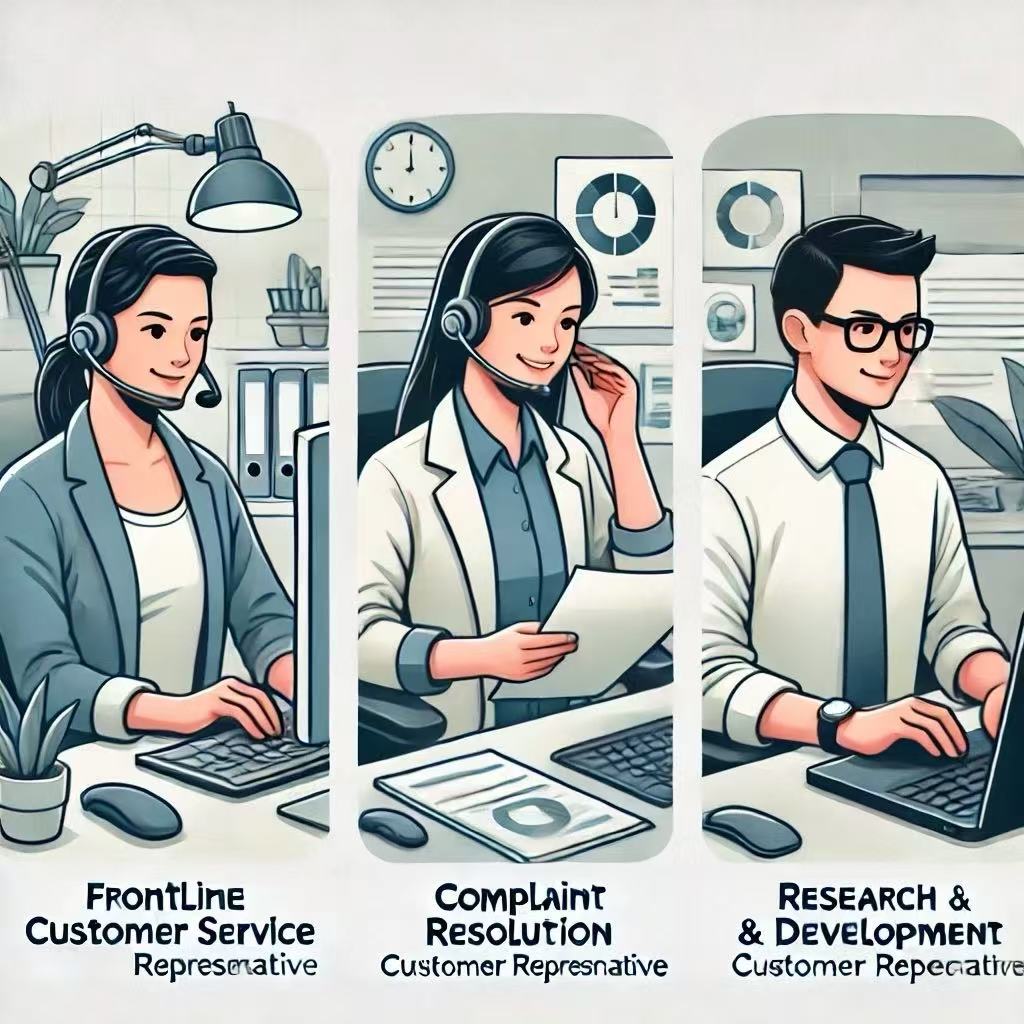
Who are our users?

Frontline agent

Start tasks from scratch
Handle multiple tasks

Second-line agent

Handle transferred tasks
Quickly clear all tasks

PM & Engineer

View order details & debug
(<5%)

Goal

Reduce both agents’ task-handling time

Higher efficiency = Lower customer service costs

Constraint

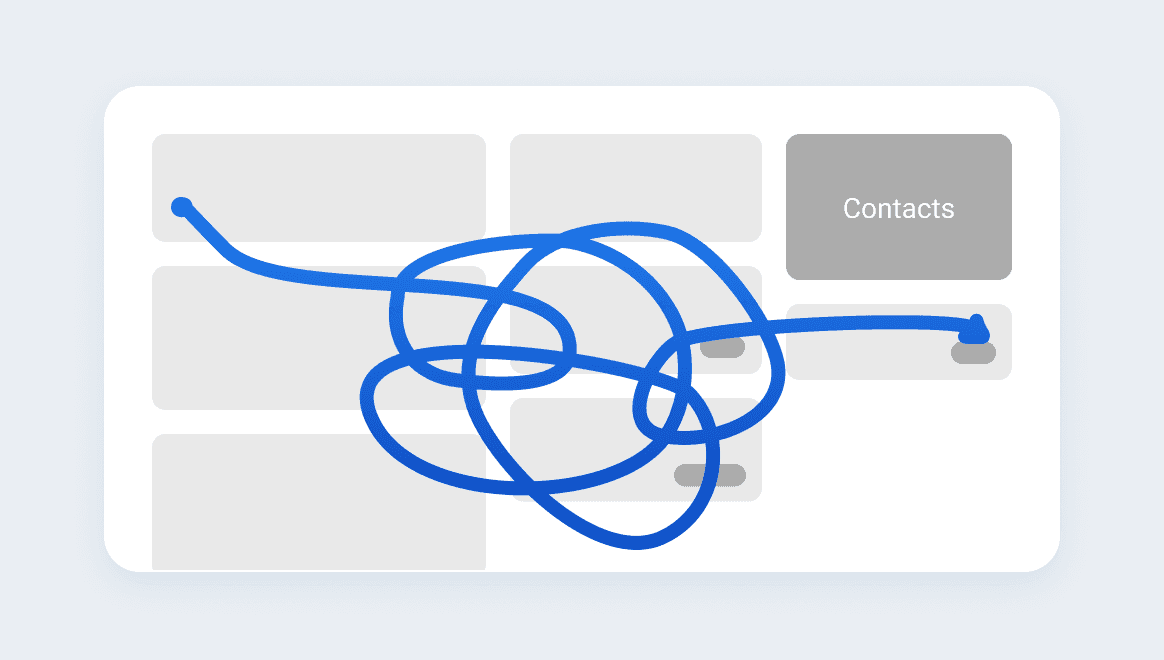
Every space matters!

As the most frequently used system by customer service agents, instead of a clean, spacious layout with strong hierarchy, they prefer a dense structure that minimizes scrolling and clicks.
Dense customer service interface
Challenges

Clunky workflow

Clunky workflow

Constant tab switching

Understanding scenarios and workflows

After interviewing an expert user and shadowing agents
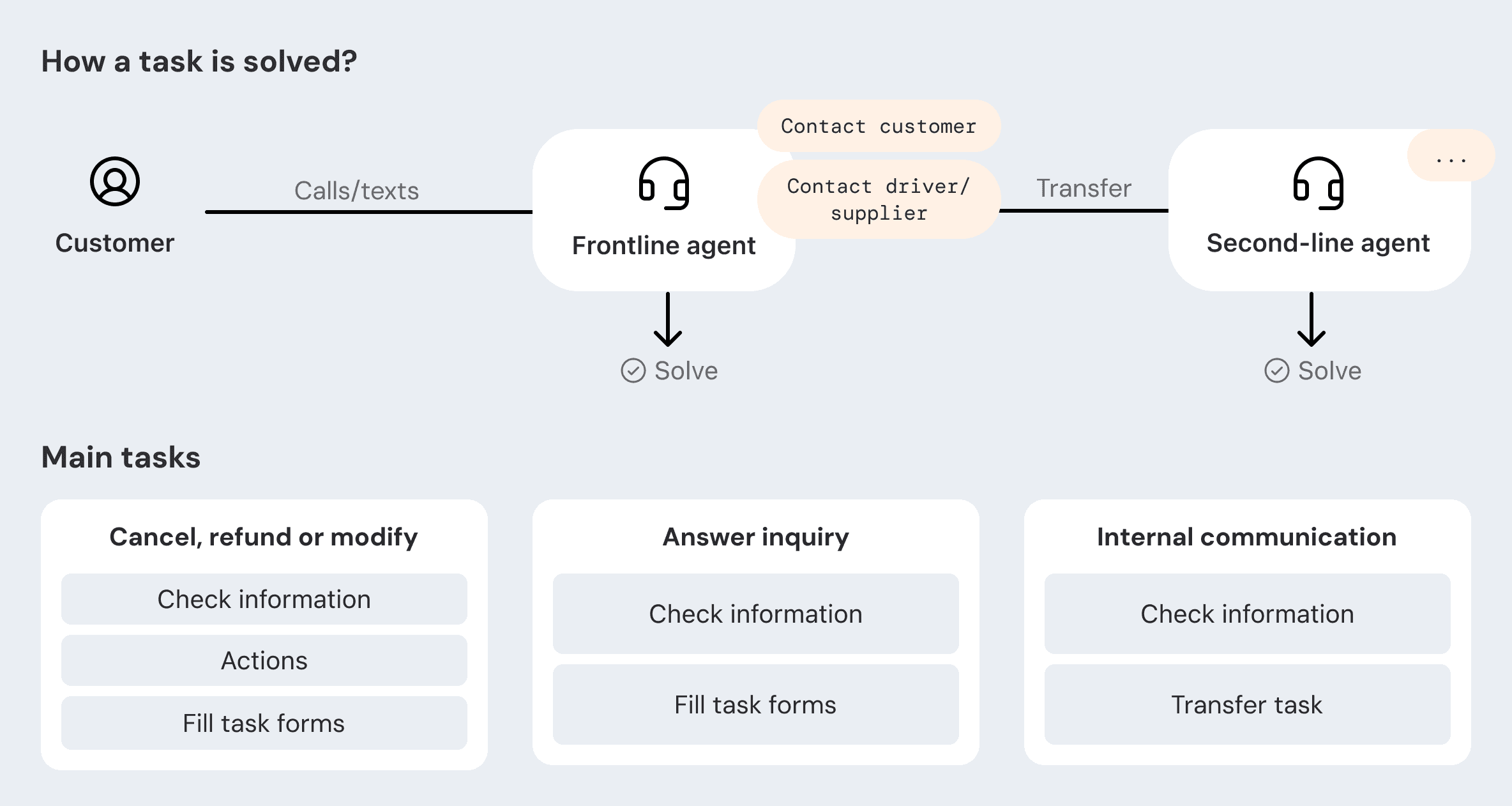
Customer service workflowWorkflow insight

Product direction

A new framework that streamlines task dealing

Step 1

Combine task and order page

They are intertwined, so they should be on the same page

Step 2

Separate information and action

After presenting to agents, we found that contacts and actions are integral to their task flow. This framework didn't meet their needs.
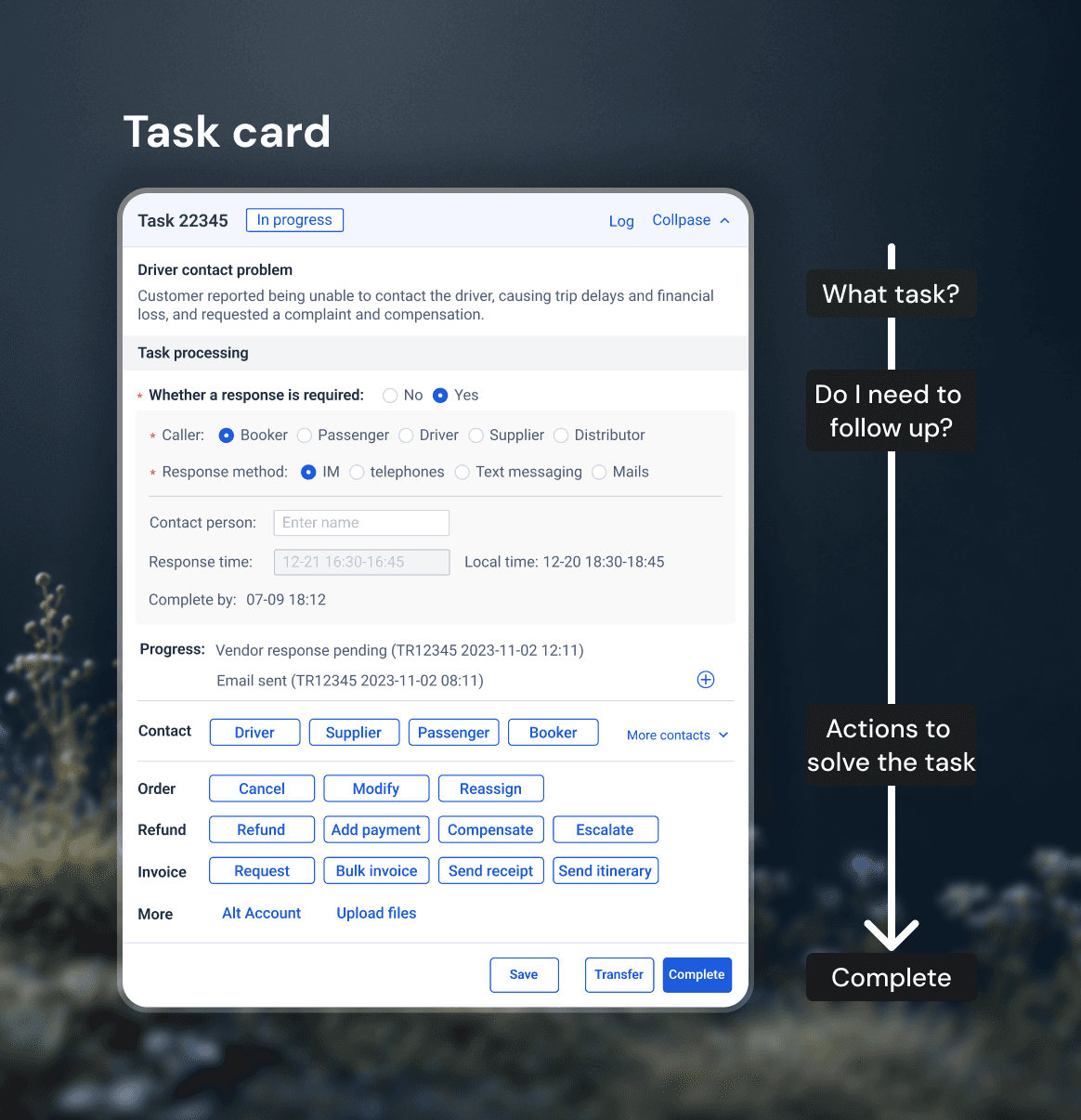
Step 3

Streamline task workflow

Task workflow structure

Task switching

Multitasking is a core part of the agent's workflow, so we introduced「My Tasks」feature to help agents switch tasks and manage priorities.

Iteration 1

A floating drawer

「My Tasks」on the order page as an entry to open a drawer with task lists.

  • Saves space
  • More information when expanded
  • 1 extra click
  • High time cost for second-line agents who clear dozens in brief shift windows
Iteration 2

Expand and collapse

「My Tasks」as an expandable module.

  • Remembers expand/collapse state, so it fits both roles
  • Saves 1 step
  • Raises visual hierarchy to avoid confusion

Design strategy

Dynamic for different scenarios

Frontline agent

On call with the customer

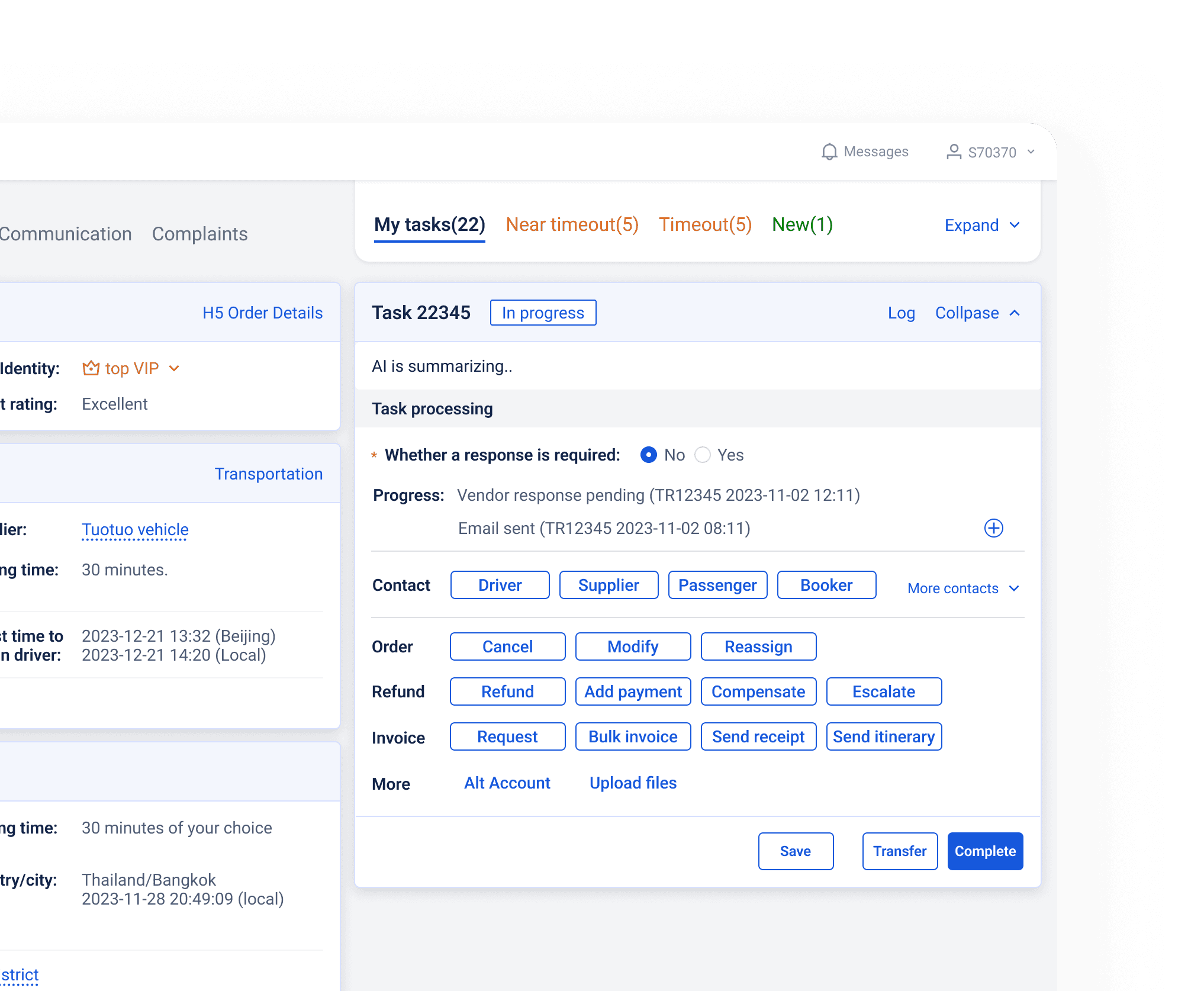
The system automatically creates a task under the related order, with GPT generating a call summary to save agents' time. They can view all relevant information on the first screen.
Frontline agent on a call with a customer

Frontline agent

Multiple tasks with the same order

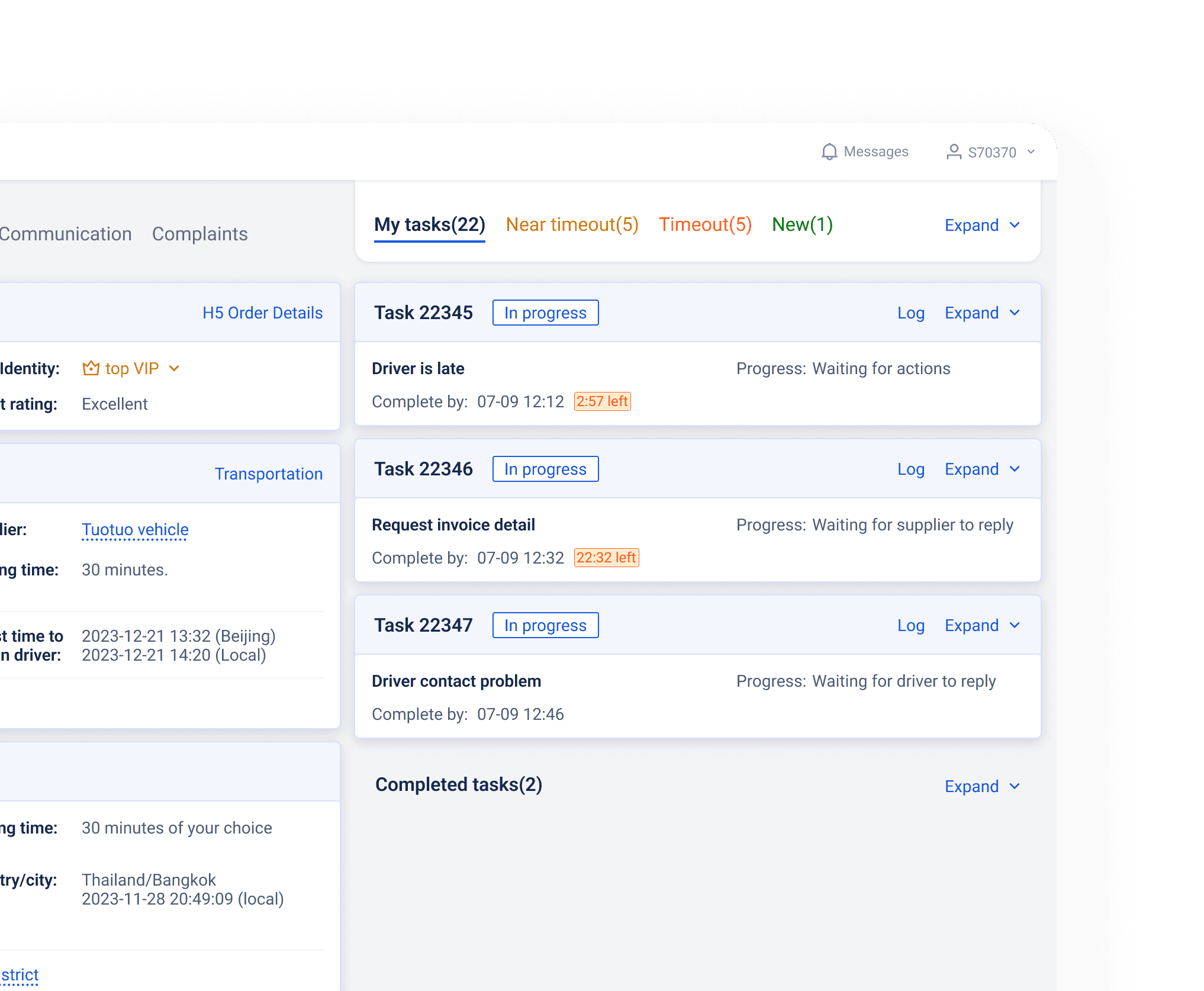
The average number of tasks per order (for those with calls) is 1.7. For tasks within the same order, we collapsed in-progress tasks and provided key information to help agents identify and prioritize them. Completed tasks were also collapsed to reduce cognitive load.
Multiple tasks associated with the same order

Second-line agent

Clear all tasks

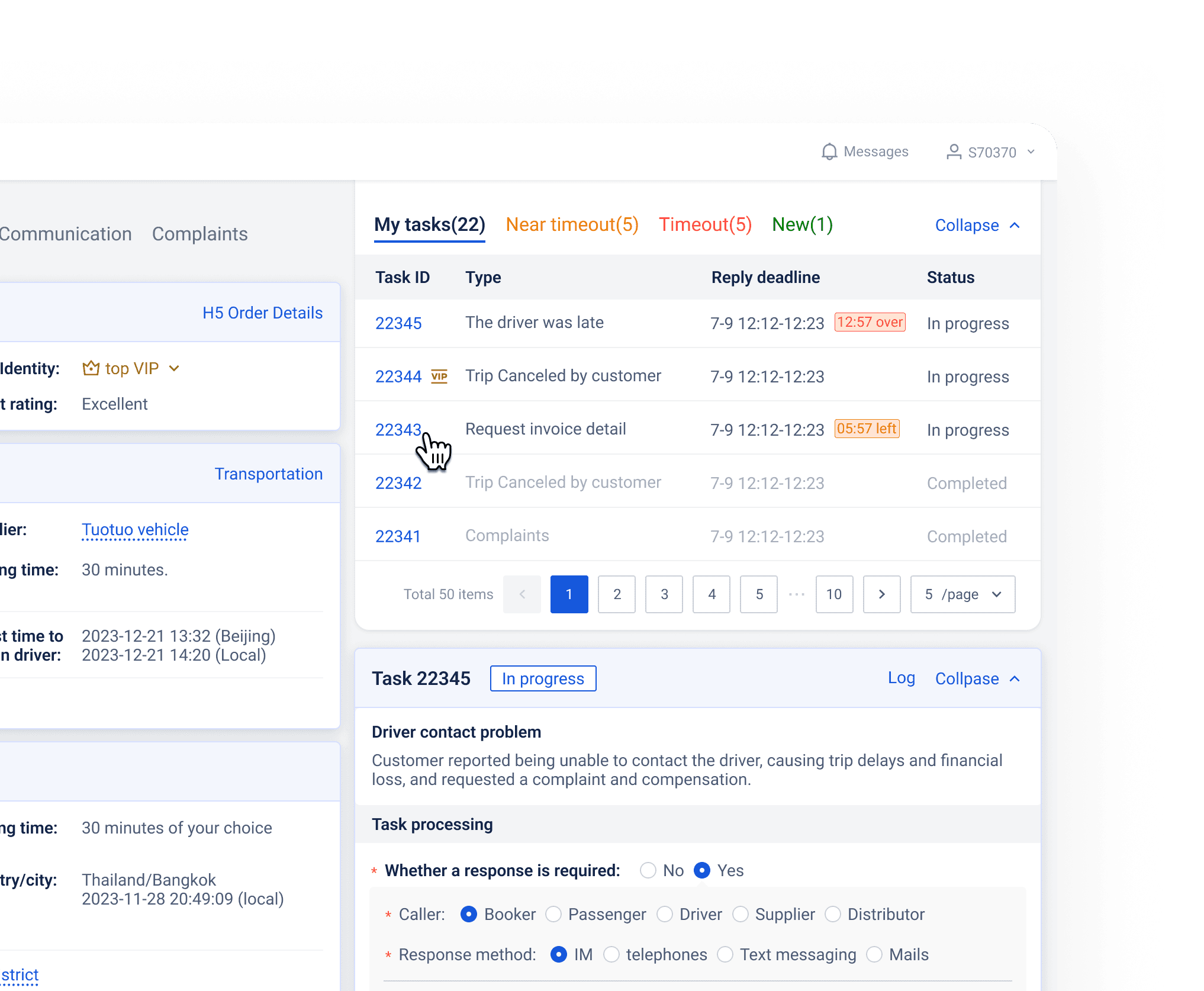
They handle tons of transferred tasks and must complete them quickly when taking breaks. The expanded My Tasks module helps them switch and complete tasks efficiently.
Second-line agent clearing transferred tasks

PM & Engineer

View order details and debug

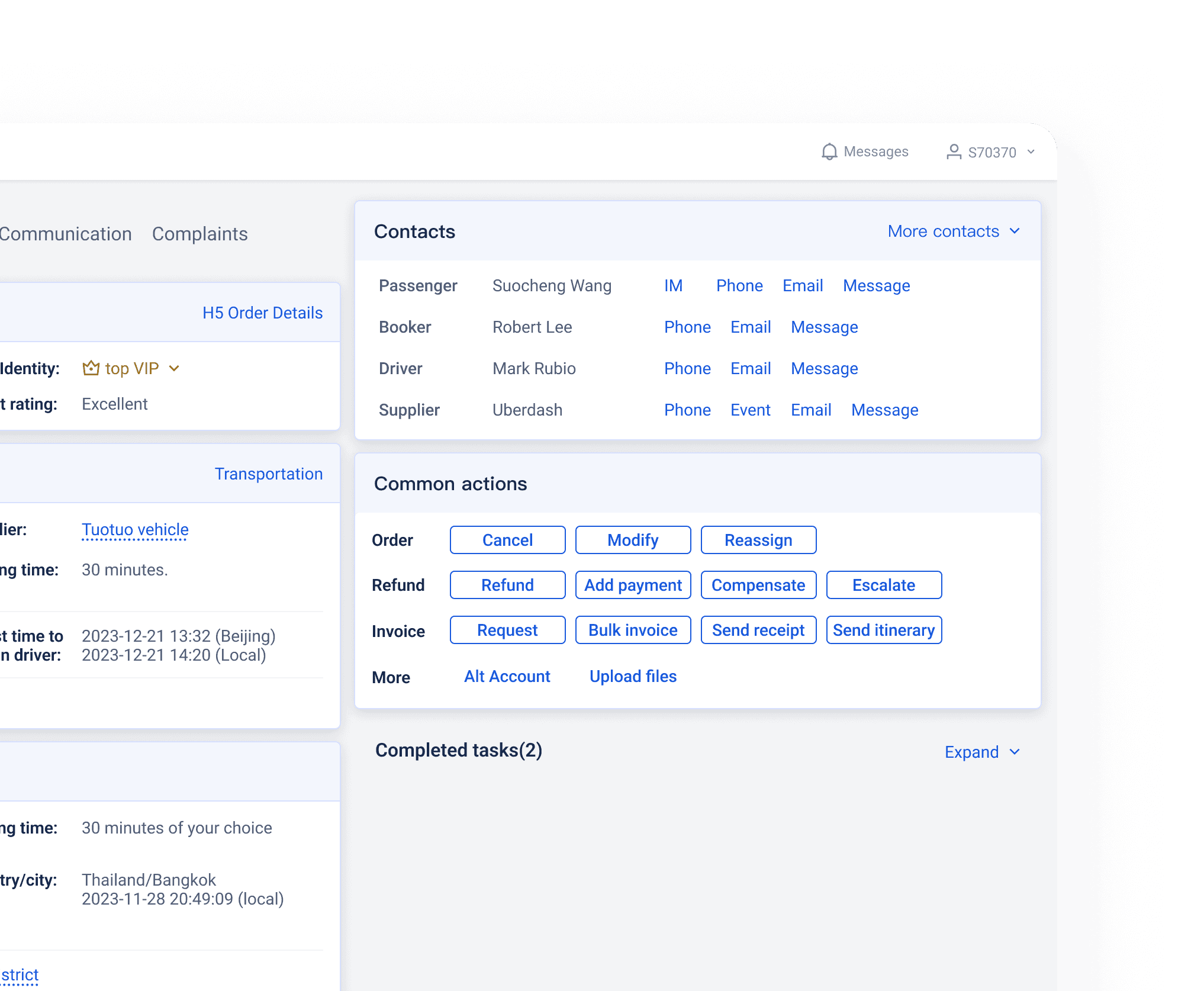
They occasionally use this page to check information and identify issues with an order. Often, there are no tasks, but they may need to contact others or make changes to the order.
PM and engineer debugging an order

Final delivery

Customer service interface before the redesignCustomer service interface after the redesign

Impacts

Average task handling time

1.89 minFrom 11.35 min, primarily by minimizing tab switching.

Customer service cost

17%

Reflections

01Leverage expert users who might have the deepest understanding of the system - its frictions, gaps, and the edge cases.

02Often, users don’t know exactly what they need. Instead of jumping to designs based on their requests, focus on understanding their scenarios and allow room for discussion.